

Draw the world
The visual workspace for animators, directors, illustrators, storyboard artists, comic artists, game artists and everyone who makes images
Keep your references, break a shot down frame by frame, draw and animate over it with a real brush. Then show it to your team.
Invite-only beta: sign up, I open access in waves and write to you when yours is ready. Try without an account
Free during the beta · Chrome, iPad and Photoshop · Your files stay yours

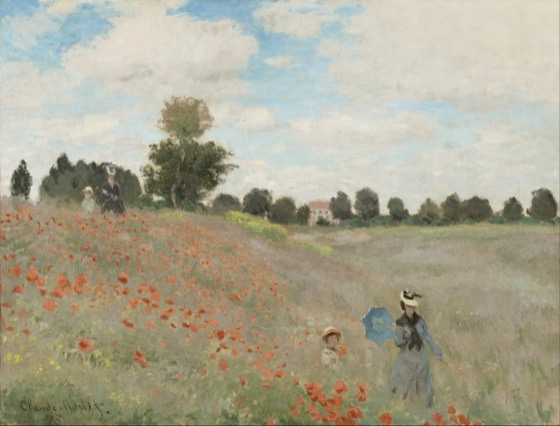
From the web to your board, in three steps.
Save an image with the extension, sort it in your Sketchbook, work on it on a board. The real ARDA, filmed as is.
You are…
ARDA is made for people who make images, and only for them. Pick your craft.
Break it down, then animate.
- A shot on the Study table, frame by frame: onion skin, X-sheet, path and spacing
- Animated sheets: keys, onion skin, inbetweens, looped playback
- Time counted in frames, seconds + frames, or feet
- The reference on the left, your paper on the right; export as GIF or video
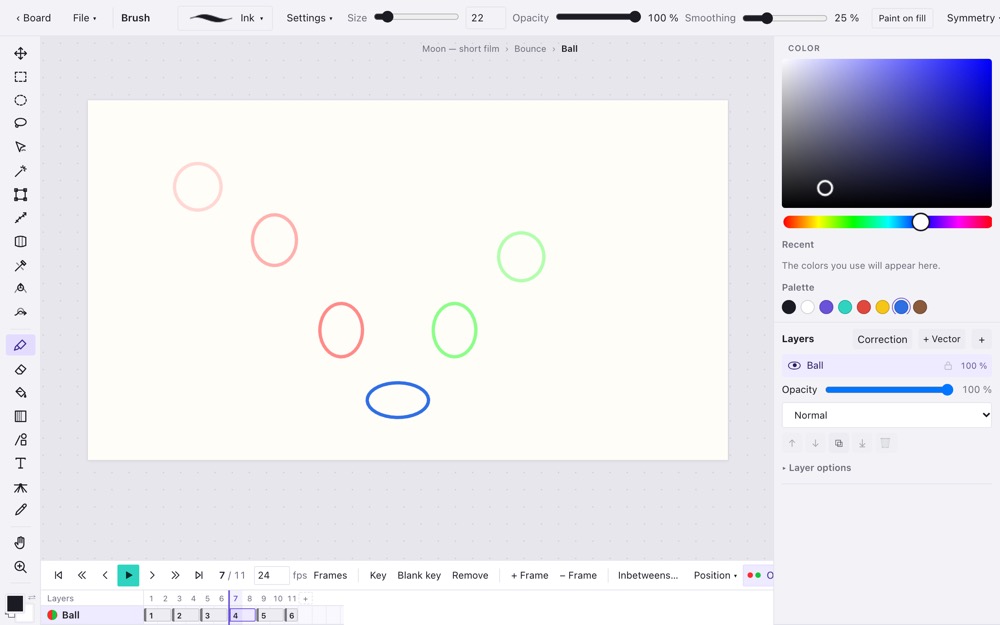
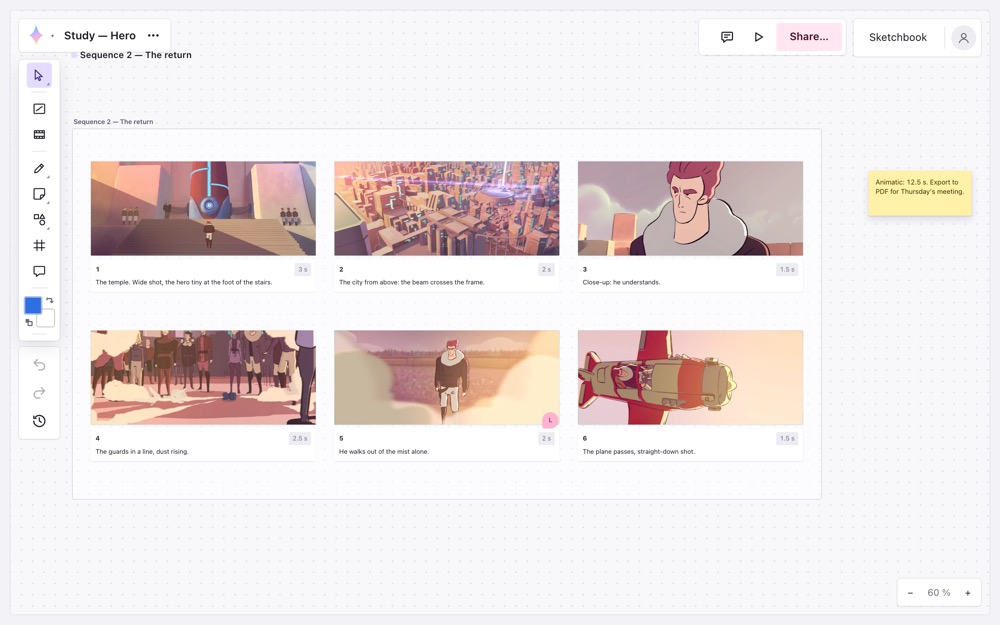
From thumbnail to animatic.
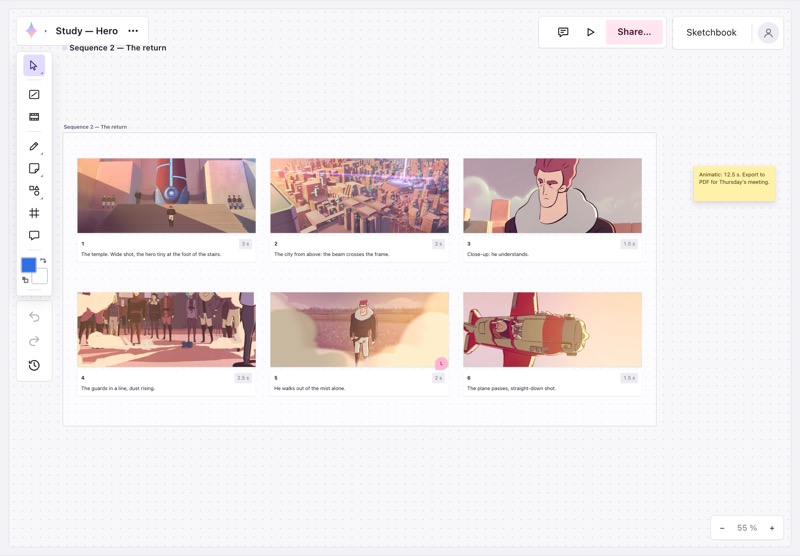
- A storyboard sheet of numbered panels in your film's format: 16:9, 2.39, 4:3…
- A caption and a duration per panel; draw inside it with your stylus
- Export to PDF for the meeting, or as an animatic
- One version per pass, compared with the previous one by sliding a handle
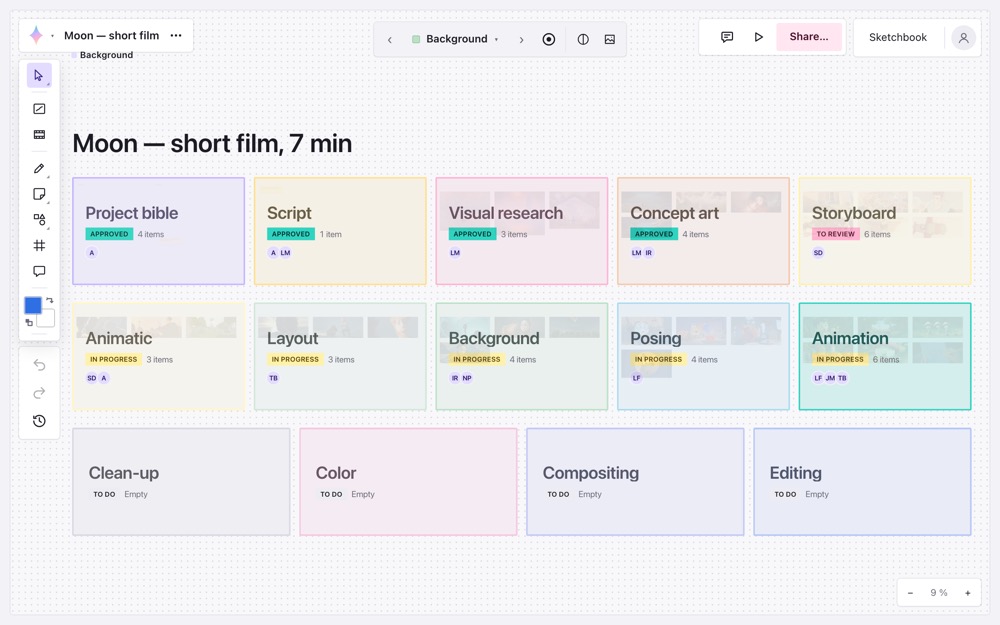
The whole film on one board.
- One workspace per department: research, storyboard, backgrounds, posing, animation, compositing…
- Each workspace open, view only or closed; its state and team readable even zoomed out
- Shots and tasks, plus tracking widgets: progress, deadlines, workload per person
- Dailies review: approve, or send back with a note pinned to the image
- Correction layer, side-by-side versions, the film's color script
All your references, within brush reach.
- A Sketchbook filled in one click from any website, with each image's source
- Values (notan), perspective from a photo, palette: an artist's eye in one click
- A reference window that stays on top of your other apps
- Your PSD and Procreate files opened with their layers, sent back as PSD with layers intact; your brushes imported
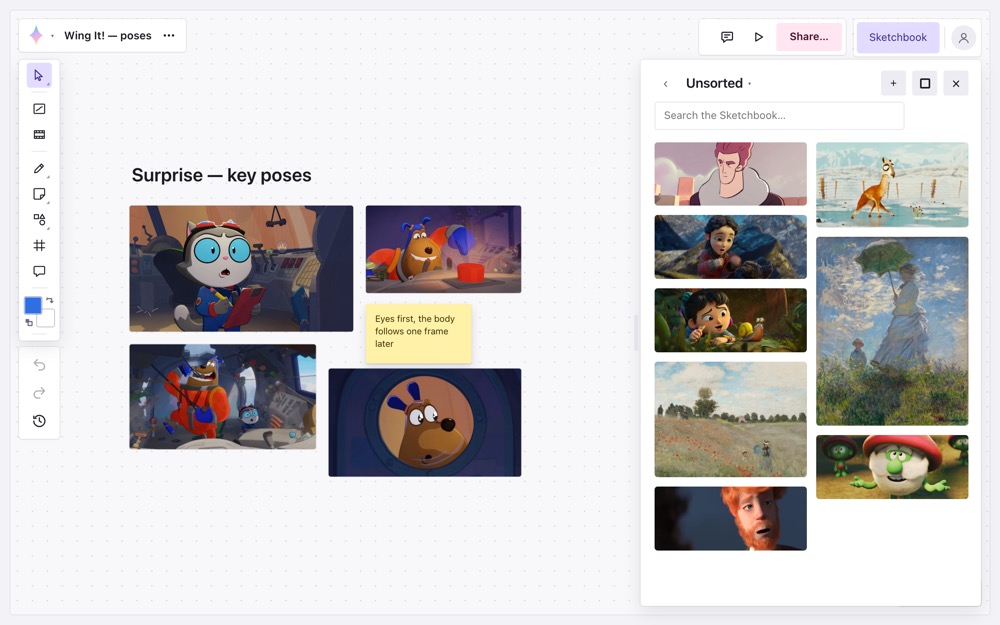
Learn by looking closely.
- A daily sketch session: poses from your Sketchbook, 30 s to 10 min each
- On a computer or on an iPad, with Apple Pencil and pressure
- Teachers correct on a separate layer, in red, without touching the drawing
- Free for the whole beta
And on every board
- CommentsPinned to the image, with replies, @mentions and "Resolved".
- LiveThe cursors and names of everyone looking at the same board.
- ChatOne conversation per board, right next to the work.
- VersionsAn image keeps its successive states; a slider compares two of them.
- Reference windowAlways on top of your apps, with zoom, flip and grayscale.
- Image toolsValues, perspective, head-unit ruler, color script.
- 3D viewerOrbit around an object or a set, walk through it, keep the view you pick to draw over it.
- Find anything⌘K: an action, a work zone, an image, a message.
- Board historyReopen the board as it was an hour ago.
- HomeContinue where you left off; your tasks across all boards; what happened since your last visit.
- View as…See the board as a guest or a client will, before you share it.
- Your wayYour own shortcuts, key by key; left-handed mode; on iPad, ⇧ ⌥ ⌘ on the edge of the screen.
Plugged into your software.
ARDA does not replace your tools: it opens their files and hands them back, layers included.
Where ARDA runs
- Chrome on Mac and PC
- Safari on iPad, with Apple Pencil
- Photoshop, with the ARDA panel
What ARDA opens
- Photoshop (PSD, PSB) and Procreate with their layers, Clip Studio as a flattened image
- 3D: OBJ, FBX, GLB, glTF, STL, USDZ, in the 3D viewer
- Brushes from Photoshop (ABR), Procreate, Krita, MyPaint and TVPaint
- Videos: MP4, MOV, MKV, AVI and most other formats
What ARDA hands back
- Layered PSD (a PSD opened in ARDA goes back out as a PSD), PNG, JPEG, WebP
- Animations as GIF or video
- Storyboards as PDF, animatics as video
- Work zones and frames as A4 or A3 PDF, or a 300 dpi PNG sheet
- Palettes as Photoshop swatches (.aco)
In Photoshop, the ARDA panel opens your Sketchbook: drag a reference onto the canvas and it lands where you drop it.
Why not Miro, Eagle or Excalidraw?
Excellent tools, built for other jobs. None of them can step through a shot frame by frame, animate, or paint with a real brush. ARDA starts from what you actually do: look closely, break it down, draw over, animate.
| Need | ARDA | Miro | Eagle | Excalidraw |
|---|---|---|---|---|
| Built for | Animation, comics, illustration, film | Workshops, product teams | Designers organizing images | Diagrams and quick sketches |
| Reference library (images and videos, with their source) | Yes | No | Yes | No |
| Infinite board to lay out and annotate | Yes | Yes | No | Yes |
| Study a shot frame by frame (onion skin, X-sheet, on ones, twos…) | Yes | No | No | No |
| Frame-by-frame animation (keys, onion skin, inbetweens) | Yes | No | No | No |
| Painting engine (pressure, grain, layers, PSD export) | Yes | Basic stroke | No | Basic stroke |
| Storyboard sheets (panels, durations, PDF, animatic) | Yes | Template to fill | No | No |
| Track a film by department (workspaces, tasks, dailies review) | Yes | Build it yourself | No | No |
| Teamwork on the same board | Yeslive cursors, comments | Yes | No | Yes |
| Your files in your Drive, your Dropbox or a folder | Yes | No | Yeson your computer | File to save |
Comparison made in good faith in November 2026, based on the features each tool presents publicly. Miro, Eagle and Excalidraw are trademarks of their respective owners; ARDA has no connection with them.
Roadmap
What is already here, what we are building now, what comes next. No promised dates: the order is decided with the beta testers.
-
Done
The Sketchbook
- Reference boards per project
- ARDA extension for Chrome to save images and videos (Chrome Web Store listing in progress)
- Frame-by-frame Study table
-
Done
Drawing
- Stylus painting engine
- Photoshop-style or Procreate-style studio
- Imported brushes, PSD import and export
- 3D viewer
-
Done
Animation
- Animated sheets: keys, onion skin, timeline
- Inbetweens and path
- GIF and video export
-
You are here
The beta
- ARDA accounts and online Sketchbooks
- Shared boards, live cursors
- Film projects: department workspaces, tasks, dailies review
- Sketchbook inside Photoshop
- ARDA in French and English
- The first testers
-
Next
Together, everywhere
- Edit a board together, at the same time
- Drag into TVPaint, Krita, Blender
- Save images from an iPad or a phone
-
Next
Public launch
- ARDA open to everyone
- A free plan that keeps your files with you
- A full plan, at a lifetime discount for testers
Ideas for later
Ideas on the table, to pick together.
Join the beta.
ARDA is being built right now, with the people who use it. Beta testers get it before anyone else and decide with me what comes next.
- All of ARDA, free, for the whole beta
- After that, a big lifetime discount
- A direct line to me for your feedback
- A Beta avatar, reserved for testers and yours for life
FAQ
When can I try it?
ARDA is being tested by a few animators. Beta testers get in in sign-up order; I will write to you as soon as your access is ready.
What does it run on?
In Chrome on a computer (with the ARDA extension to save images and videos from any website), in the iPad's browser with Apple Pencil, and in Photoshop through a panel that opens your Sketchbook. On iPad, a strip on the edge of the screen gives you ⇧, ⌥ and ⌘.
Is ARDA in English?
Yes. ARDA's interface follows your browser's language, and you can change it in Settings. Sign up from this page and I will write to you in English.
I come from Photoshop, TVPaint or Procreate: will I feel at home?
Yes. On a computer, the drawing studio looks like Photoshop; on an iPad, like Procreate. In Settings › Shortcuts, start from Photoshop, TVPaint, Procreate or Clip Studio shortcuts, then change any key you like. Your brushes (ABR, Procreate, Krita, MyPaint, TVPaint) can be imported, and your PSD and Procreate files open with their layers, and go back out as PSD, layers included.
How much will it cost?
Nothing during the beta. Pricing will be announced later; beta testers keep a big discount for life.
Where do my images and drawings go?
Wherever you want: in your ARDA account, or in your own Google Drive, your Dropbox, your server or a folder on your computer. They are real files, readable without ARDA. Images found on the web stay as links to their original page.
What about the rights to the images I save?
ARDA is for personal study and teamwork, like a reference binder. It keeps each image's source so you always know where it comes from and who made it.